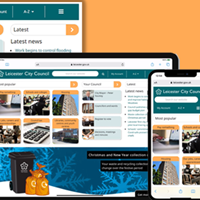
Now you can watch a range of council meetings on our webcasting website.
Find out how it all works by reading our quick questions and answers below.
Archived webcasts
To view our webcasts, please use the links we've listed below. You will be taken to an external webcasting website, leicester.public-i.tv, which we manage in partnership with Public-i.
Full Council meetings:
City Mayor and Cabinet meetings:
Planning and Development Control Committee meetings:
Please note, all these links open new browser windows or tabs.
Quick questions and answers
How does it all work?
We and our partner, Public-i, have set up a special website that can stream live and recorded council meetings.
In the future, you'll be able to watch a range of council meetings as they happen. Soon as those webcasts are archived, you can view these whenever you want - 24/7.
What do I need?
A PC or Mac with internet access and suitable media player software (or plug-ins) such as Windows Media Player or Mac equivalent.
If you don't have the right media player software, our webcasting website can detect what you need and prompt you to download the necessary software.
NB: Leicester City Council and Public-i are not responsible for any software downloaded and installed on your machine.
What web browser(s) do I need?
You can use any of the main web browsers currently available such as Internet Explorer, Firefox, Opera, Safari plus others.
Can I download webcasts?
Sorry, not at this time. But there are options to share webcast links and/or embed the code into a blog or social media profile.
Do the webcasts work on other devices such as smartphones and tablets?
You can access our webcasting website on most mobile devices although some makes and models may not play the videos due to their limited video player capabilities (i.e. iPhone and iPads).
Need more information?
Read the questions and answers on our leicester.public-i.tv website.
See also
Other parts of leicester.gov.uk (and beyond) you might useful: